

What Are App and Browser Permissions?
Digital Gatekeepers Explained
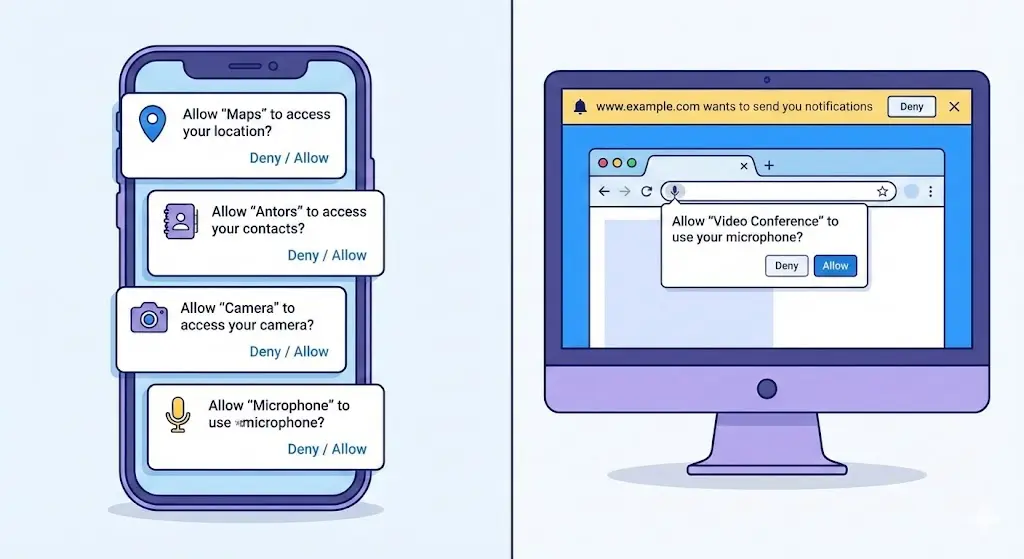
App and browser permissions are digital gatekeepers. They control what apps and websites are allowed to access on your device such as your camera, microphone, files, location, contacts, clipboard, or browsing activity.
When used correctly, permissions improve functionality. A navigation app needs location access. A video call app needs the camera and microphone.1 Fair enough.
The problem begins when permissions go beyond what’s necessary.
Many users tap “Allow” without a second thought, assuming apps are safe by default. Unfortunately, history shows that this trust is often misplaced.
Why Permission Awareness Is Necessary
Preventing Data Harvesting and Surveillance
Unchecked permissions can turn everyday apps and browser extensions into tools for:
- Constant location tracking
- Unauthorized data collection
- Targeted advertising and profiling
- Financial fraud
- Stalking and surveillance
- Credential and identity theft
According to reports from organizations like the Electronic Frontier Foundation (EFF) and Kaspersky, permission abuse remains one of the most common entry points for mobile and browser-based attacks.
In short, awareness isn’t paranoia—it’s basic digital hygiene.
Major Permission Red Flags (With Real-World Incidents)
Below are the most important red flags general users should recognize. Each one is paired with a real-world incident to show how these risks play out beyond theory.
1. Contextually Irrelevant Permission Requests
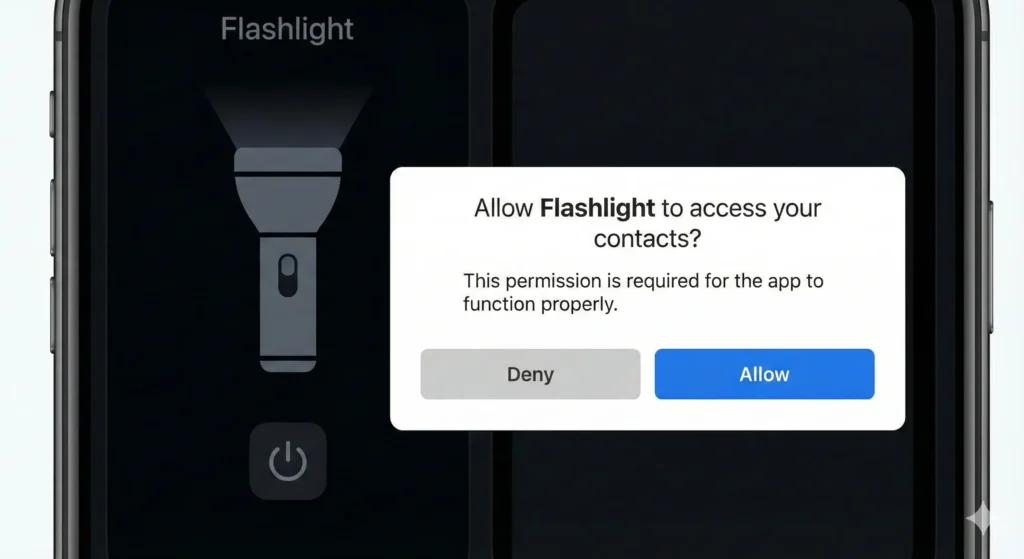
If a basic app—like a calculator, wallpaper app, or flashlight—asks for contacts, SMS, or location access, that’s a red flag waving hard.
🚨 Real-World Incident: The “Simple Game” Spam Ring
Security researchers uncovered dozens of casual Android games requesting READ_CONTACTS and SEND_SMS. These apps harvested address books and sent spam messages directly from victims’ phones, sometimes resulting in unexpected charges and privacy leaks affecting thousands of users.
Source: https://arxiv.org/html/2508.02008v1
2. “Draw Over Other Apps” (Overlay) Permissions
This permission allows an app to display content over other apps. While useful for chat heads, it’s frequently abused by malware.
🚨 Real-World Incident: GM Bot Banking Malware
The infamous GM Bot malware used overlay permissions to display fake banking login screens over legitimate apps.2 Users thought they were logging into their bank—when in reality, they were handing credentials straight to attackers.
Source: https://www.pindrop.com/article/android-overlay-malware-targeting-banking-apps/
3. Requests for Device Administrator Rights
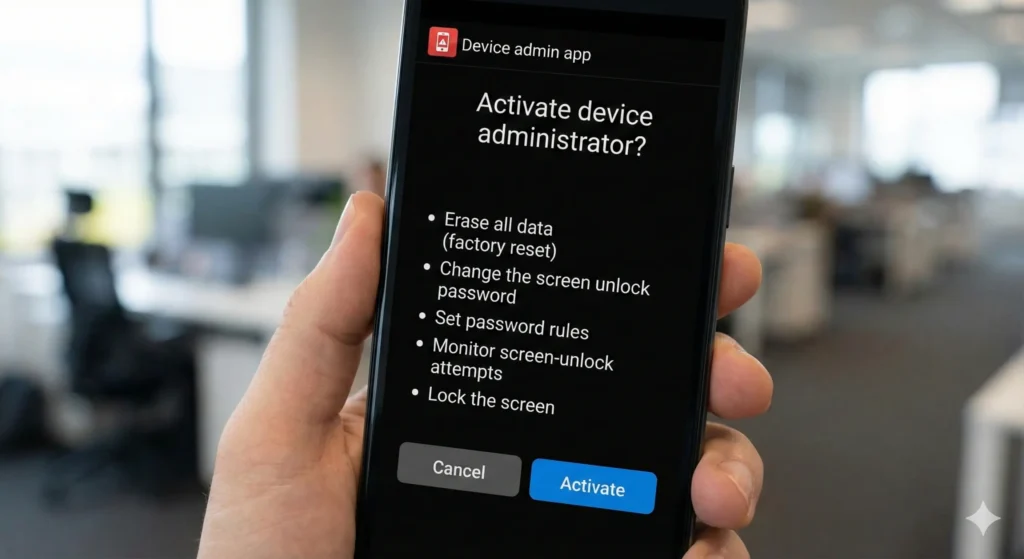
Granting Device Admin rights gives an app near-total control.3 Most apps have zero reason to ask for this.
🚨 Real-World Incident: Lockdroid Ransomware
Lockdroid disguised itself as a system update. Once granted Device Admin rights, it locked phones, changed PINs, and blocked removal—forcing victims to pay a ransom to regain access.
4. Abuse of Accessibility Services
Accessibility services are meant to assist users with disabilities—not to spy.
🚨 Real-World Incident: OTP-Stealing Malware
ThreatMark identified banking malware abusing accessibility permissions to read on-screen text, including one-time passwords (OTPs), and simulate taps to approve fraudulent transactions—all without user awareness.
Source: https://www.threatmark.com/defending-mobile-banking-application-against-android-accessibility-abuse/
5. Unjustified Bluetooth or Local Network Scanning
Bluetooth and local network access can reveal precise indoor location.4
🚨 Real-World Incident: Bluetooth Beacon Tracking
Academic research demonstrated how Bluetooth Low Energy (BLE) scanning could be used to track individuals inside malls, offices, and apartments—without GPS permission—enabling covert stalking.5
Source: https://arxiv.org/html/2510.00350v1
6. Clipboard Access Monitoring
Your clipboard often contains passwords, private messages, or crypto wallet addresses.6
🚨 Real-World Incident: Crypto Clipper Malware
Clipboard-stealing malware replaced copied cryptocurrency wallet addresses with attackers’ addresses.7 Victims unknowingly transferred funds directly to criminals.
Source: https://www.sonicwall.com/blog/android-crypto-clipper-monitors-the-clipboard-of-its-victims
(Image suggestion: Diagram showing clipboard hijacking)
7. “Always Allow” Location Tracking
Apps insisting on “Always Allow” location access enable 24/7 tracking.
🚨 Real-World Incident: SpyFone Stalkerware
The FTC shut down SpyFone for enabling abusers to secretly track victims’ real-time movements through persistent location access—often without the victim’s knowledge.
8. High Background Battery or Data Usage
Unusual battery drain or data usage is often a silent warning.
🚨 Real-World Incident: SlopAds Botnet
Over 38 million devices were hijacked into an ad-fraud botnet. Apps secretly ran background processes, draining batteries and burning through data plans to generate fake ad clicks.
9. Browser Extensions With “Read and Change All Data”
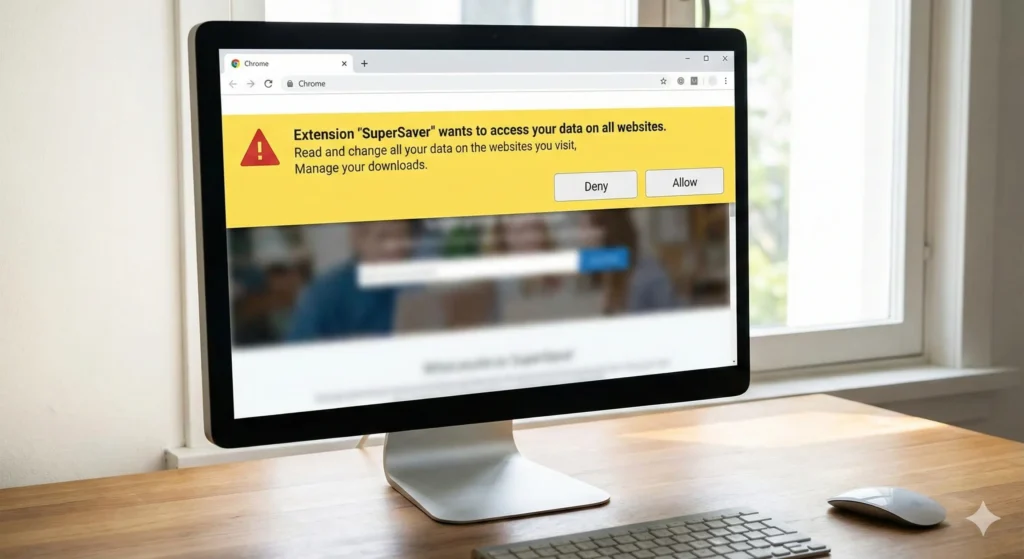
This is one of the most powerful—and dangerous—browser permissions.
🚨 Real-World Incident: Hijacked Chrome Extensions
Popular Chrome extensions, including PDF tools, were sold or hijacked. Updates turned them into spying tools that injected ads, logged keystrokes, and stole banking credentials.
10. Sudden Permission Creep After Updates
An app that suddenly wants more access after an update deserves scrutiny.
🚨 Real-World Incident: PDF Toolbox Shift
Originally a simple utility, PDF Toolbox later requested invasive permissions, transforming into a surveillance and malware delivery platform for unsuspecting users.
Source: https://www.crowdstrike.com/en-us/blog/prevent-breaches-by-stopping-malicious-browser-extensions/
11. Aggressive Notification Permission Prompts
Websites pushing notification permissions immediately are often up to no good.
🚨 Real-World Incident: Notification Scam Loops
Users were tricked into allowing notifications to access content. Once enabled, browsers were flooded with fake virus alerts and scam links redirecting to malicious downloads or fake tech support.
Source: https://www.securing.pl/en/web-push-notifications-and-user-targeted-attacks-our-research/
12. Unverified or Unknown Developers
Low-review apps or unknown developers increase risk significantly.
🚨 Real-World Incident: Joker Trojan
The Joker Trojan repeatedly slipped into Google Play by hiding in wallpaper and photo apps. It abused SMS permissions to silently subscribe users to premium services while stealing contacts.
Source: https://www.lookout.com/threat-intelligence/article/joker
Prevention and Mitigation Strategies
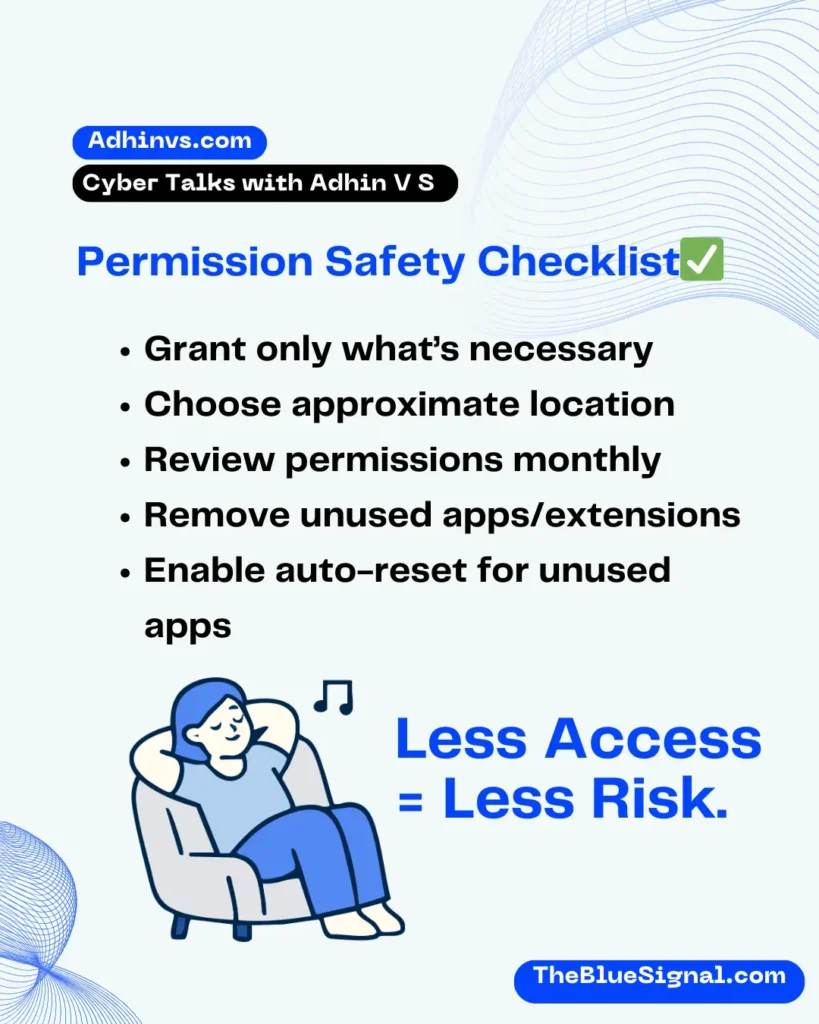
- Follow the Principle of Least Privilege
Grant only what’s absolutely necessary. If it’s not essential, deny it. - Choose Approximate Location When Possible
Weather and news apps don’t need your exact address—city-level access is enough. - Watch Privacy Indicators
Green or orange dots on modern devices signal camera or mic usage.8 Unexpected activity? Investigate immediately. - Audit Permissions Monthly
Set a reminder to review app and browser permissions regularly. - Enable Permission Auto-Reset
Modern Android and iOS versions can revoke permissions from unused apps automatically—turn this on.9 - Remove Unused Apps and Extensions
If you don’t use it, remove it. Less software equals less risk.
Frequently Asked Questions (FAQs)
Are app permissions really that dangerous?
Not inherently—but abused permissions are a leading cause of mobile and browser-based privacy violations.
Is denying permissions safe?
Yes. Most apps still function with limited permissions, and you can grant access later if needed.
Are official app stores completely safe?
No. While safer than third-party sources, even Google Play and Chrome Web Store have hosted malicious apps.
How often should I check permissions?
At least once a month, or immediately after installing or updating apps.
Can browser extensions be more dangerous than apps?
Absolutely. Extensions with broad permissions can see everything you do online.
Final Thoughts: Awareness Is Your First Line of Defense
Staying safe online doesn’t require technical expertise—just informed awareness. App and browser permissions quietly shape how much of your digital life is exposed. By recognizing red flags, understanding real-world consequences, and adopting simple habits, you reclaim control.
In a world where data is currency, your attention is protection. Pause before you tap “Allow,” question what’s being asked, and remember—convenience should never cost your privacy.
(External references for further learning: https://www.eff.org, https://www.consumer.ftc.gov, https://www.kaspersky.com/resource-center)
