

Fake shopping websites have gotten good enough that clicking through to your favourite retailer no longer guarantees you actually landed there.
The logo is right. The layout is right. The checkout page looks exactly like the one you used last month. You enter your card details, and the order simply never arrives, because the card is now compromised instead.
This post covers how lookalike domains and cloned websites are actually built, why the padlock icon in your browser does not mean a site is safe, the specific tricks used in fake web addresses, and three checks worth running before you enter any payment details. It is part of our wider guide to how fake messages, emails and calls deceive people every day.
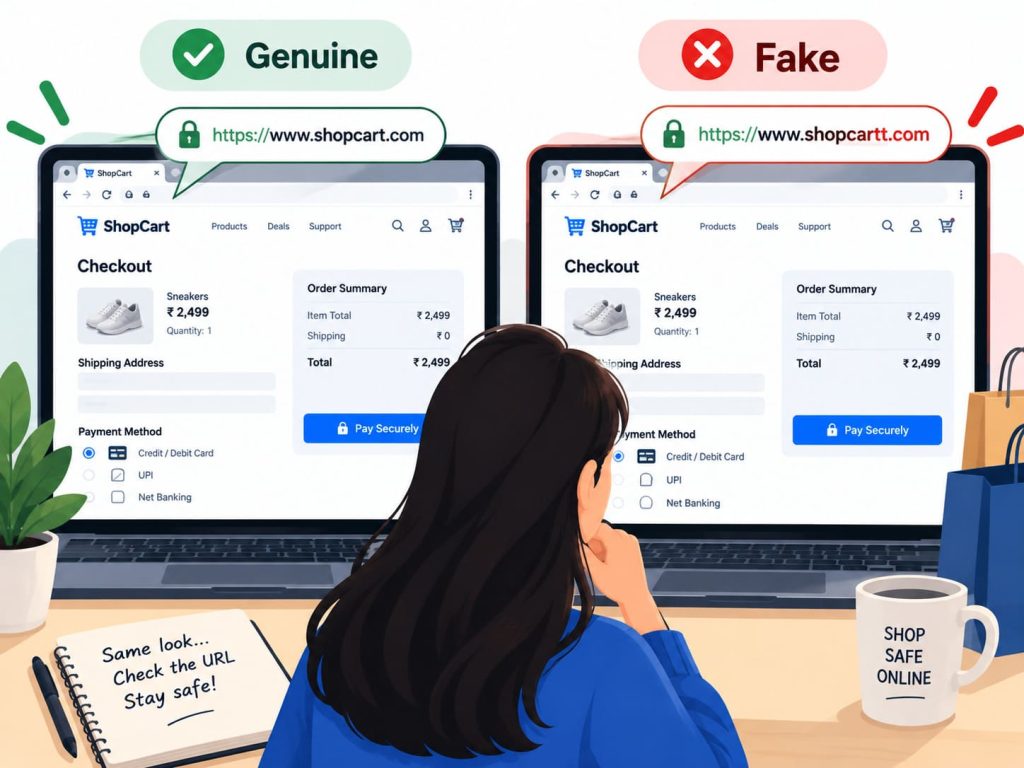
How Are Lookalike Domains and Cloned Websites Actually Built?
Copying a website’s appearance takes almost no skill today. The images, layout, and even the checkout flow can be lifted directly from a real store’s public-facing pages in minutes.
Fake shopping websites often surge ahead of major sales events specifically, when shoppers are actively searching for deals and are more willing to click an unfamiliar link that promises a bargain.
Lookalike e-commerce stores surged ahead of major shopping events in 2025, with the UK’s National Cyber Security Centre documenting thousands of fake retail websites using near-identical domain names, such as amaz0n-deals.com, alongside cloned checkout pages. This is UK-sourced guidance, but the same copycat domain trick shows up constantly around Indian festive sale seasons too, when shoppers are hunting for the fastest deal rather than the safest one.
Lookalike apps carry the same risk on official app stores too, sometimes ranking above the genuine app in search results, using a near-identical icon and a batch of fake five-star reviews to look established before anyone has downloaded it.
Victims who enter payment details on one of these sites typically lose both the money for the order and their card data to the criminal network behind it, since the checkout was never connected to a real payment processor at all.
Fake checkout pages sometimes even display a genuine-looking payment gateway logo, UPI, a familiar card network, or a well-known wallet, purely to reassure a buyer at the exact moment they should be pausing instead.
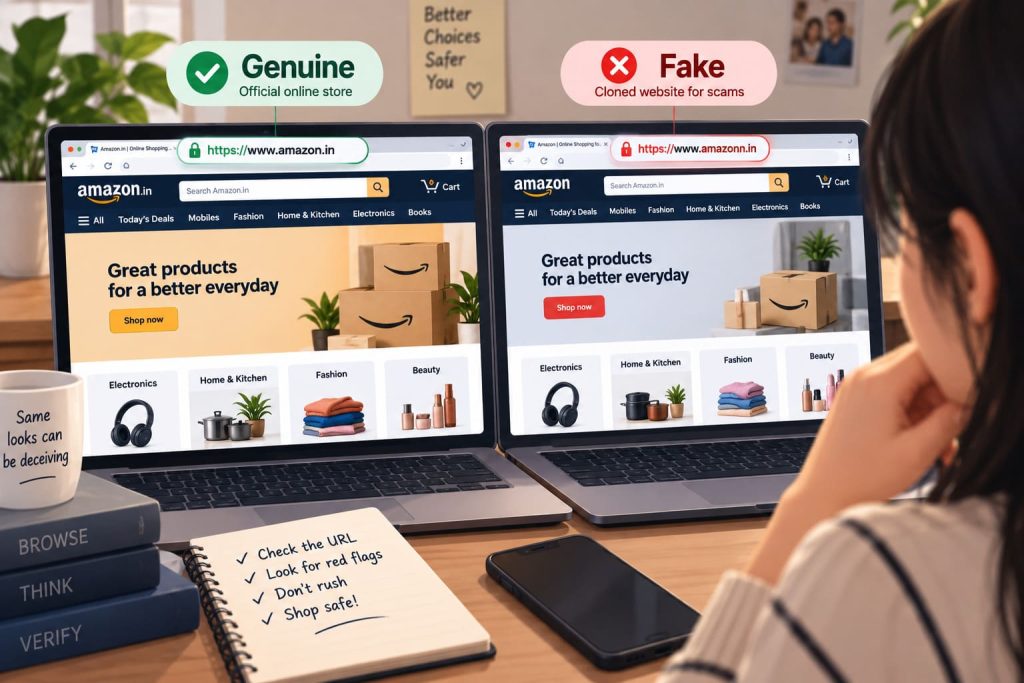
Why Does the SSL Padlock Not Mean a Site Is Safe?
The padlock icon and “https” in your browser’s address bar tell you the connection between your device and the website is encrypted. They tell you nothing about who actually owns that website.
83 percent of phishing sites now use HTTPS encryption too, according to the Anti-Phishing Working Group’s Phishing Activity Trends Report for 2025, which makes the padlock unreliable as a safety signal on its own.
Browsers used to flag unencrypted sites clearly enough that the padlock felt like a meaningful check. That gap has closed entirely now that encryption is free and automatic for almost anyone who wants it, fraudulent seller or genuine one.
Free, automated SSL certificates take a criminal running a fake shopping website only a few minutes to obtain, exactly the same process a legitimate small business would use, which is precisely why the padlock no longer separates the two.
This mirrors the broader pattern covered in our guide to QR code scams and why that code on the wall could be dangerous, where a technically valid connection says nothing about whether the destination itself can be trusted.
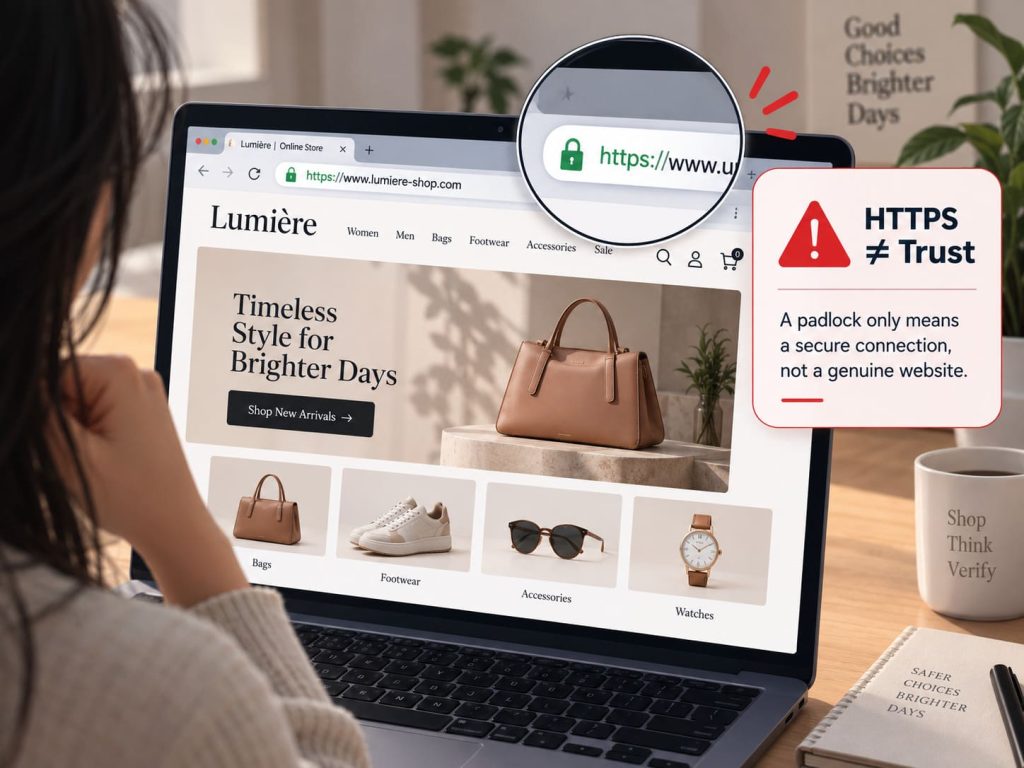
What Tricks Do Fake Web Addresses Actually Use?
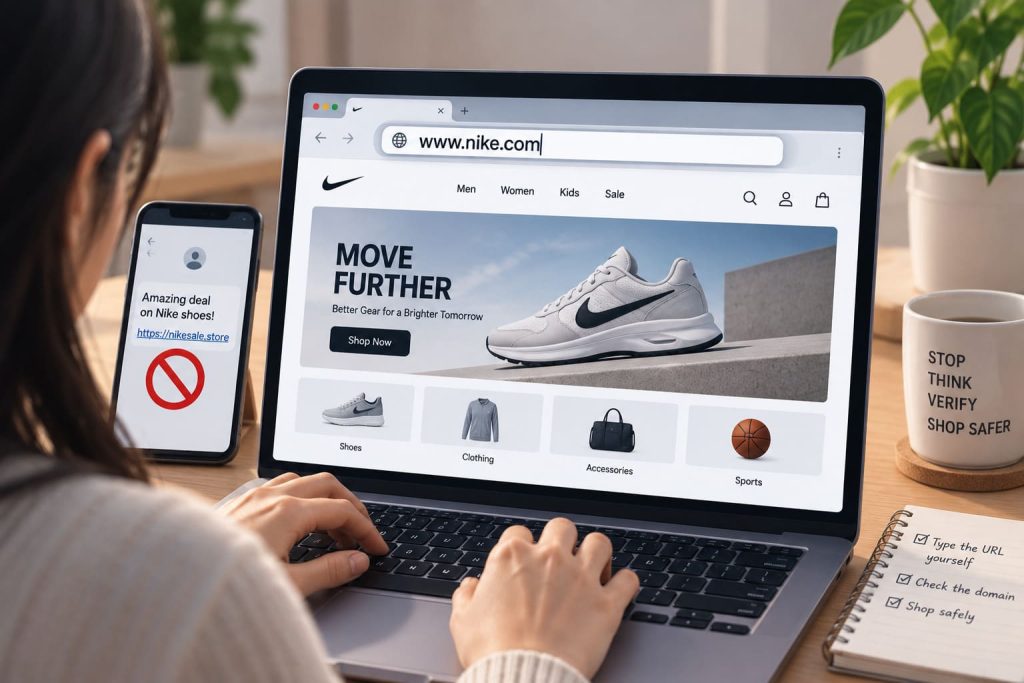
Typosquatting relies on a single swapped character, a zero standing in for the letter O, or an extra hyphen inserted somewhere a shopper would not immediately notice.
Some domains swap the ending instead, using .shop, .store, or .xyz rather than the familiar .com a genuine retailer actually uses, banking on most people not checking that far.
Visually similar characters cause the same confusion in a different way, a lowercase L standing in for an uppercase I, or a Cyrillic letter that renders almost identically to its Latin counterpart on most screens.
Others add an extra word entirely, a store name followed by “deals” or “outlet,” designed to read as a legitimate sub-brand rather than an unrelated, fraudulent site.
Reading the full domain letter by letter, rather than skimming the first few characters, is the single habit that catches most of this before it costs anything.
Search engines and social media adverts do not reliably filter these domains out either, since a fraudulent store can run paid advertising just as easily as a genuine one, sometimes appearing above the real retailer in search results for a short window before it gets reported and taken down.
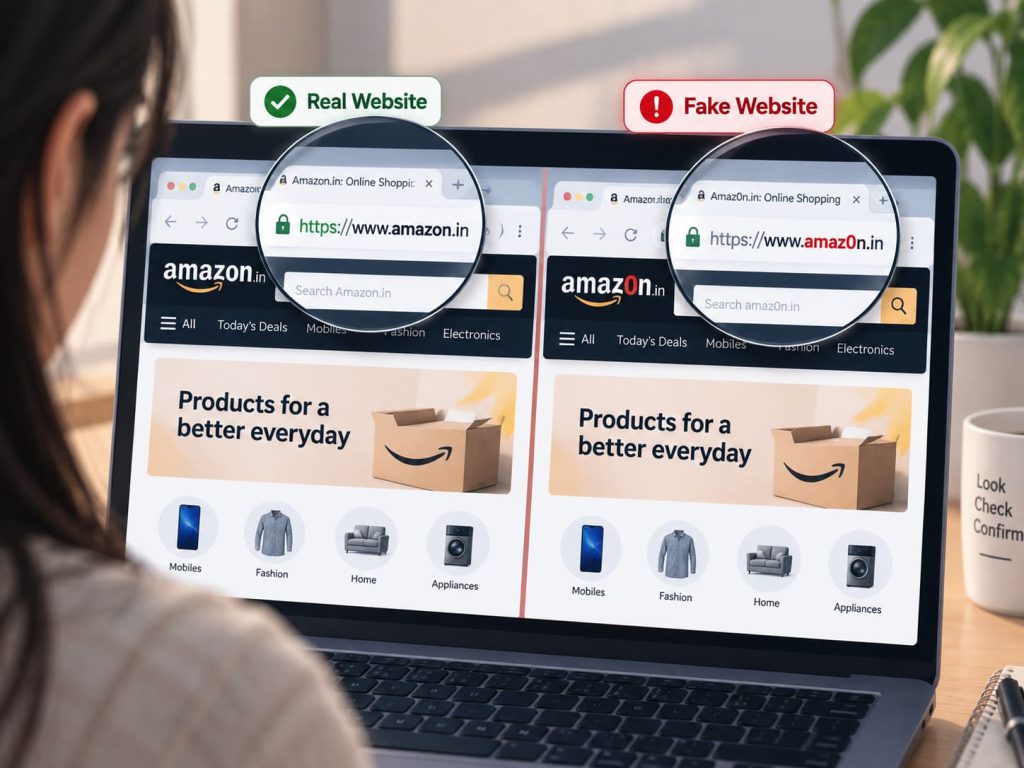
What Three Checks Should You Run Before Paying?
Type the retailer’s address directly into your browser rather than clicking through from a message, an advert, or a search result, since this alone avoids the vast majority of fake shopping websites.
Search the exact domain name independently before you buy anything, since a genuinely fraudulent store often turns up complaints or warnings within the first page of results.
Check for a genuine physical address, a working customer service number, and a returns policy that reads like it was written for actual customers, since fake shopping websites tend to skip these details entirely or copy them word for word from somewhere else.
Pay with a credit card rather than a direct bank transfer or UPI where the option exists, since card networks generally offer a dispute process that a direct transfer to an unknown seller does not.
Use a password manager that only auto-fills login details on the correct, saved domain, a safeguard covered in more depth in our guide to setting up a password manager and why you should do it today, since it will simply refuse to fill in details on a cloned site with a different address.
If you have already entered card details on a site you now suspect was fake, contact your bank immediately and report it through India’s National Cyber Crime Reporting Portal or the 1930 helpline.
Frequently Asked Questions
Can a fake shopping website really have a valid security certificate?
Yes. Free SSL certificates are easy for anyone to obtain, including scammers, so the padlock icon only confirms an encrypted connection, not that the seller behind the site is genuine.
How can I tell a fake online store apart from the real one before I order?
Check the domain name letter by letter for swapped characters or an unfamiliar ending, and search the exact web address independently before entering any payment details.
What should I do if I already paid on a website I now think was fake?
Contact your bank immediately to flag the transaction, then report it through cybercrime.gov.in or the 1930 helpline with any screenshots and order confirmations you have.
What This Comes Down To
Fake shopping websites now clear every visual bar a shopper is likely to check on sight, right down to a padlock that used to mean something.
The one habit that protects you: type the address yourself and verify it independently, rather than trusting a link, an advert, or how convincing the page looks once you land on it.
If this was useful, share it with someone who needs to know.



1 comment
Comments are closed.