
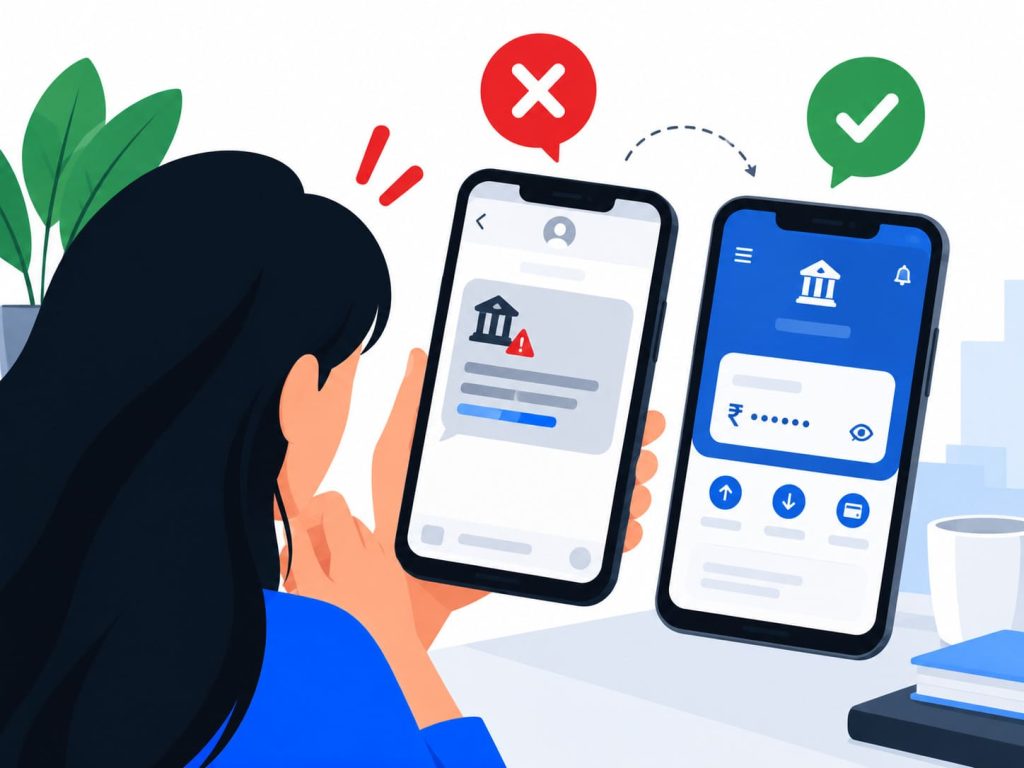
Fake message scams often start the same way: a message lands that looks exactly like your bank, right logo, right tone, right sender name, while something beneath the surface has been quietly rebuilt to steal from you.
Fake message scams like this one arrive in three main shapes now, email, text, and phone call, and each one is engineered slightly differently to survive the split second before you click.
What used to be one clumsy email format has split into a whole family of fake message scams, each tuned to a different habit, checking email at a desk, glancing at a text on the move, or picking up a call without thinking twice.
This post covers why these messages look so convincing, the three ways they actually reach you, the specific warning signs worth memorising, and exactly what to do before you click, reply, or read out a code. It is part of our wider guide to how fake messages, emails and calls deceive people every day.
Why Do Phishing Messages Look So Convincing?
Every visual element of a phishing message, the logo, the colour scheme, the footer text, can be copied directly from a real company’s website in minutes, since none of it is technically protected from being reused.
Sender addresses are spoofed too, built to display a name you recognise while the actual reply-to address routes somewhere else entirely, a detail most inboxes do not surface unless you look closely.
Phishing attacks overall surged 4,151 percent in the months after ChatGPT’s public launch, according to Adaptive Security’s analysis reported via Barracuda’s 2025 threat research. Generative tools now write convincing, error-free scam copy in seconds, removing one of the oldest giveaways, clumsy spelling and grammar, almost entirely.
In November 2025, Google filed a lawsuit alleging a China-based criminal network built nearly 200,000 fraudulent websites in just 20 days, impersonating brands including Google and USPS through SMS lures designed to harvest payment card data from anyone who clicked through.
The same engineering shows up constantly in Indian inboxes and WhatsApp forwards, a fake KYC update request, a courier delivery fee, a “your electricity connection will be cut off tonight” message, each one dressed convincingly enough to survive a distracted glance between other tasks.
What Are the Three Ways Phishing Actually Reaches You?
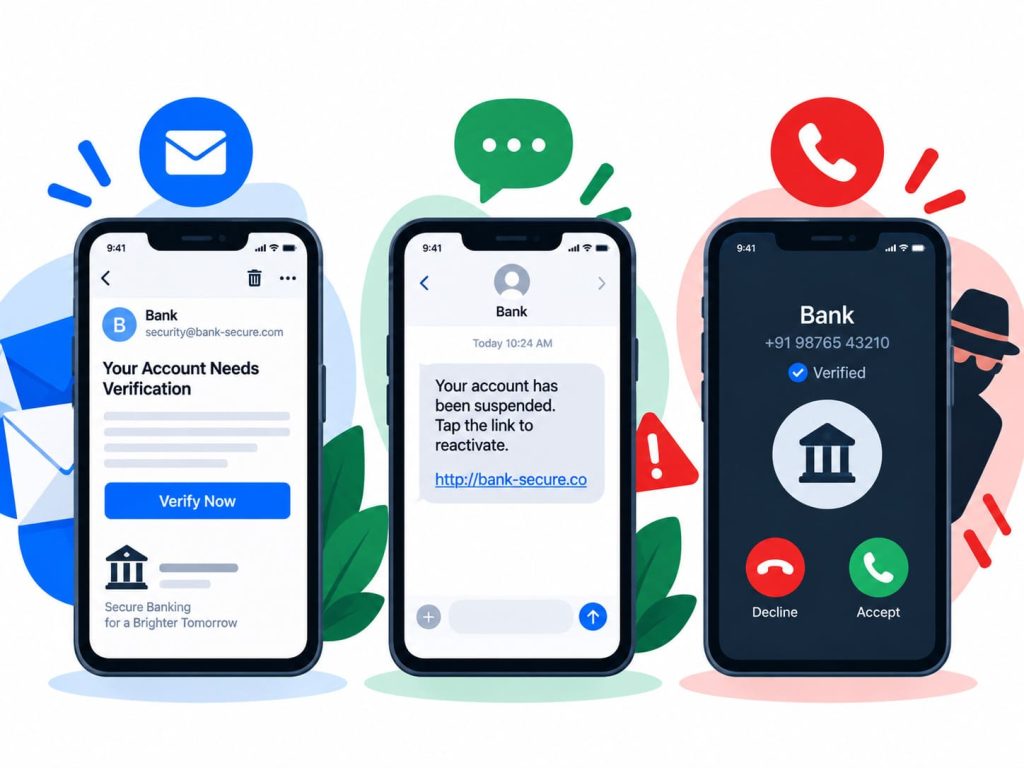
Phishing by email remains the broadest net, a message sent to thousands of inboxes at once, betting that a small percentage will click without checking.
Smishing swaps the channel to text messages, often disguised as a courier delivery update, a KYC verification request, or a bank alert, formats chosen because people tend to read texts faster and more casually than email.
Vishing takes it further with a live voice call, sometimes from someone claiming to be your bank, sometimes from a fake “support” agent. It surged 442 percent from the first half of 2024 to the second, according to the Anti-Phishing Working Group’s tracking, making it the fastest-growing of the three formats.
QR codes have become a fourth delivery method layered on top of these three, a fake code standing in for a link that would otherwise look suspicious typed out in full. That format gets its own detailed treatment in our guide to QR code scams and why that code on the wall could be dangerous.
Whichever format arrives, the destination is usually the same: a credential harvesting page built to look identical to a genuine login screen, capturing your username and password the instant you type them in.
Fake message scams rarely stop after the first attempt either. A person who does not respond to a smishing text is often followed up by a vishing call within days, the two formats working together rather than as isolated, one-off attempts.
What Are the Warning Signs Worth Memorising?
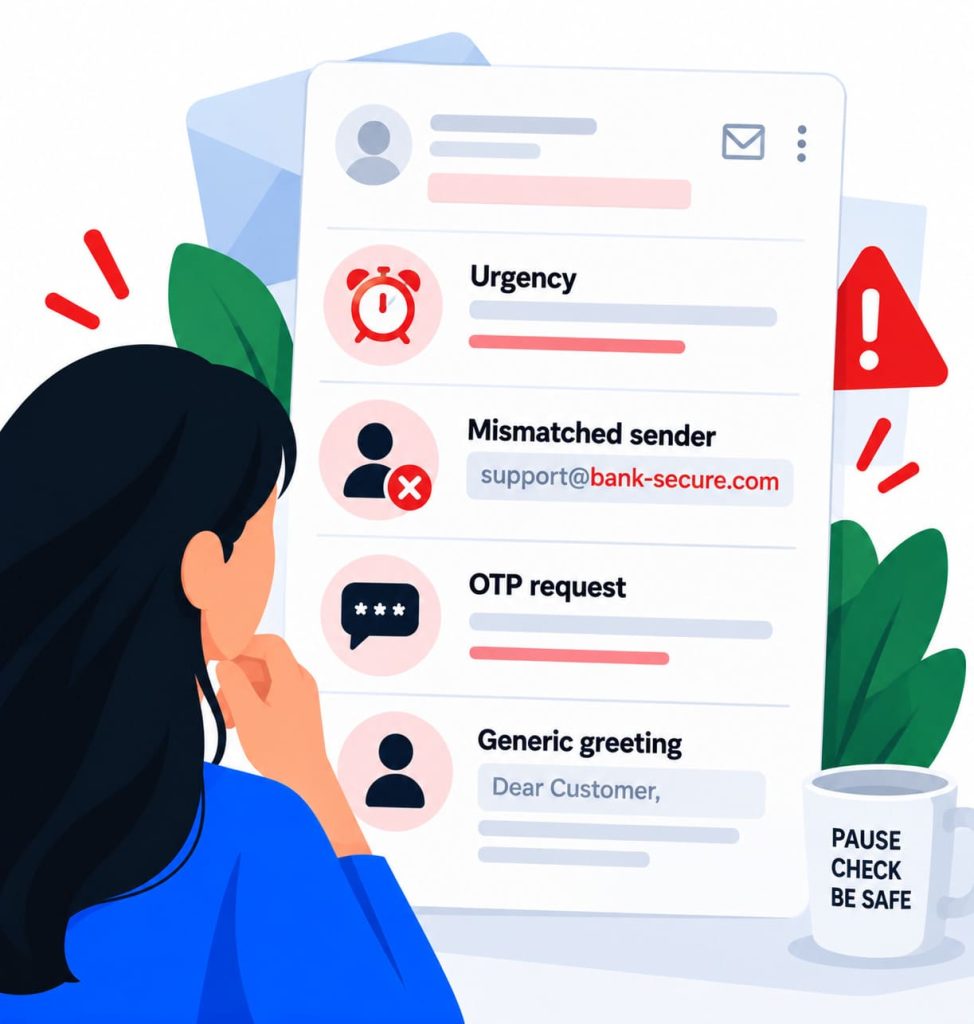
Urgency is the clearest signal across all three formats, a message insisting you act within minutes or lose access to an account, a refund, or a delivery.
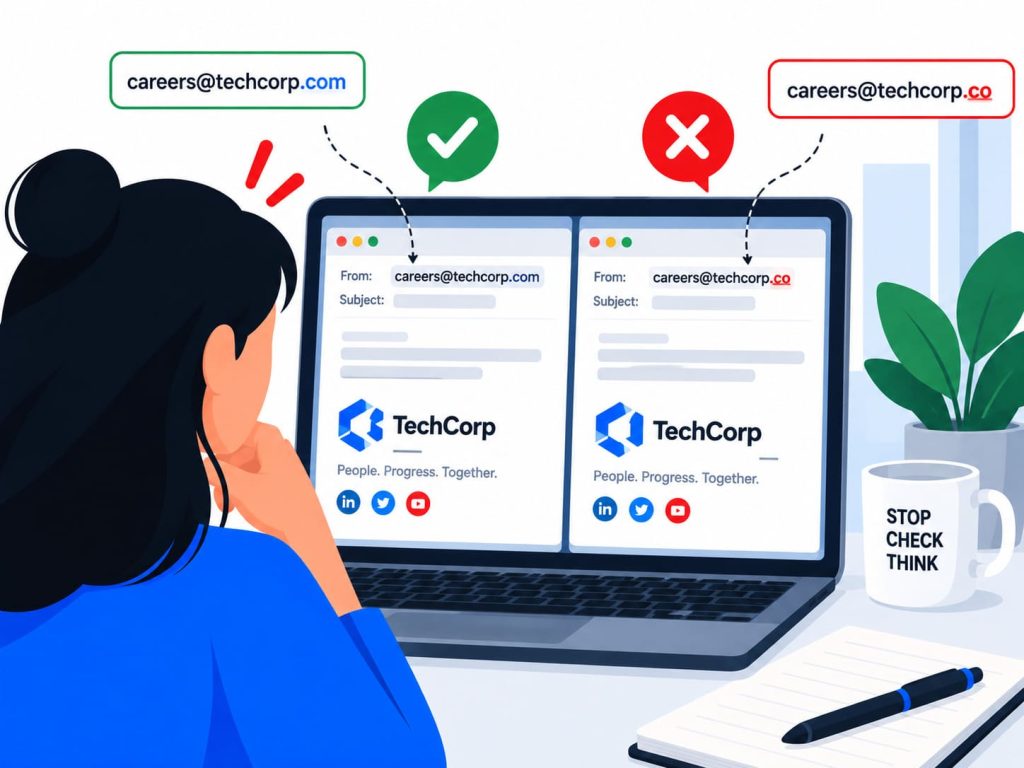
A sender address or phone number that looks close to genuine but not quite right is worth a second look every time, especially an extra character, a swapped letter, or an unfamiliar domain ending.
Any request to read out an OTP, confirm a PIN, or click through to “verify” your account is a red flag on its own, since no genuine bank, courier, or government department asks for this over an unsolicited call or message.
A generic greeting on a message claiming to be personal, “Dear Customer” instead of your actual name, is a small but reliable tell, since a real institution holding your account details usually addresses you by name.
Mismatched links are worth checking too, since the visible text on a button or line of text can say one thing while the actual web address underneath points somewhere completely different. Holding a link before tapping, where your device allows it, reveals the real destination.
What Should You Do Before Clicking Any Unexpected Link?
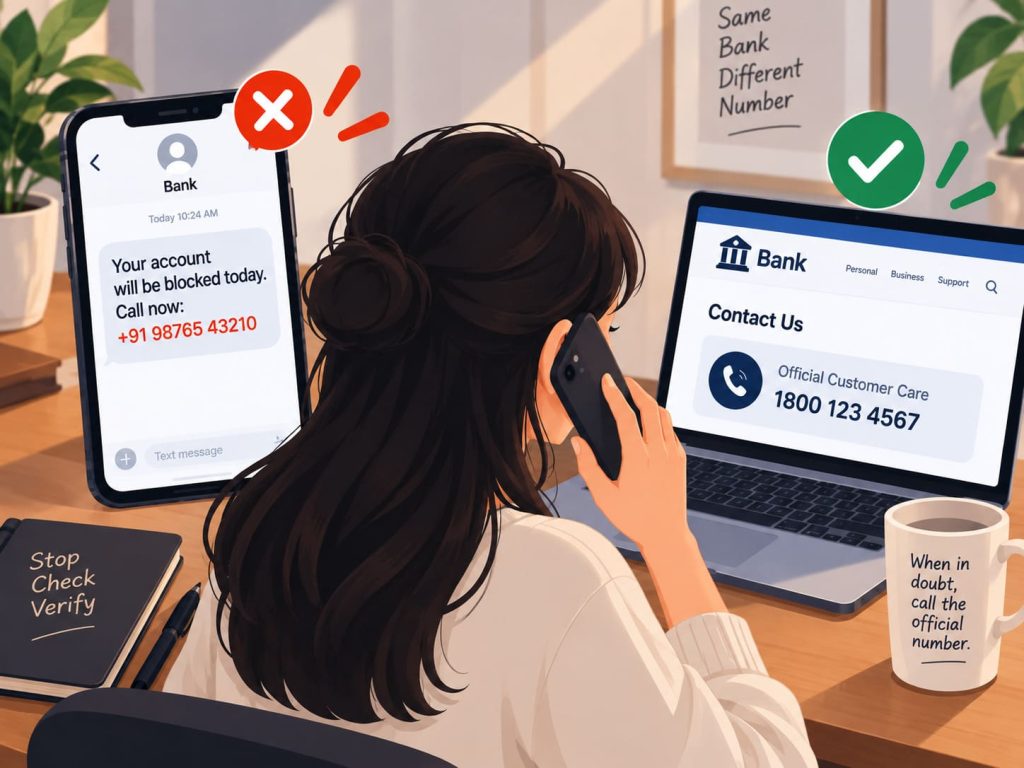
Verify the sender independently, through your bank’s app, a number saved from an old statement, or the official website typed directly into your browser, never through contact details supplied in the message itself.
Never read an OTP out loud to anyone who called you, and never enter one into a page you reached by clicking a link rather than navigating there yourself.
Report any suspicious call or SMS through the Department of Telecommunications’ Sanchar Saathi and Chakshu portal, which lets you flag fraudulent numbers directly so they can be traced and blocked.
If you already clicked a link or entered details on a fake page, contact your bank immediately through its official number and change the affected password straight away, a first step covered in more depth in our guide to why one weak password can cost you everything.
Frequently Asked Questions
How can I tell a smishing text apart from a real delivery update?
Check the sender number against previous genuine messages from the same courier, and never click a tracking link that asks for payment or personal details. Go directly to the courier’s official app or website to check status instead.
Can scammers really make a call look like it’s coming from my bank’s real number?
Yes, caller ID can be spoofed to display a trusted name or number. Treat any unexpected call asking for an OTP, PIN, or account details as suspicious regardless of what the screen shows, and call the bank back on a number you already have.
What should I do immediately if I already clicked a phishing link?
Do not enter any further details on the page. Close it, contact your bank through its official number, change your password, and report the incident through India’s National Cyber Crime Reporting Portal or the 1930 helpline.
What This Comes Down To
Fake message scams keep changing shape, from email to text to a live voice on the phone, but the underlying trick stays the same: borrowed trust, manufactured urgency, and a very small window to react.
The one habit that protects you: verify independently through a channel you already trust, never through anything supplied in the message itself, no matter how official it looks.
If this was useful, share it with someone who needs to know.