

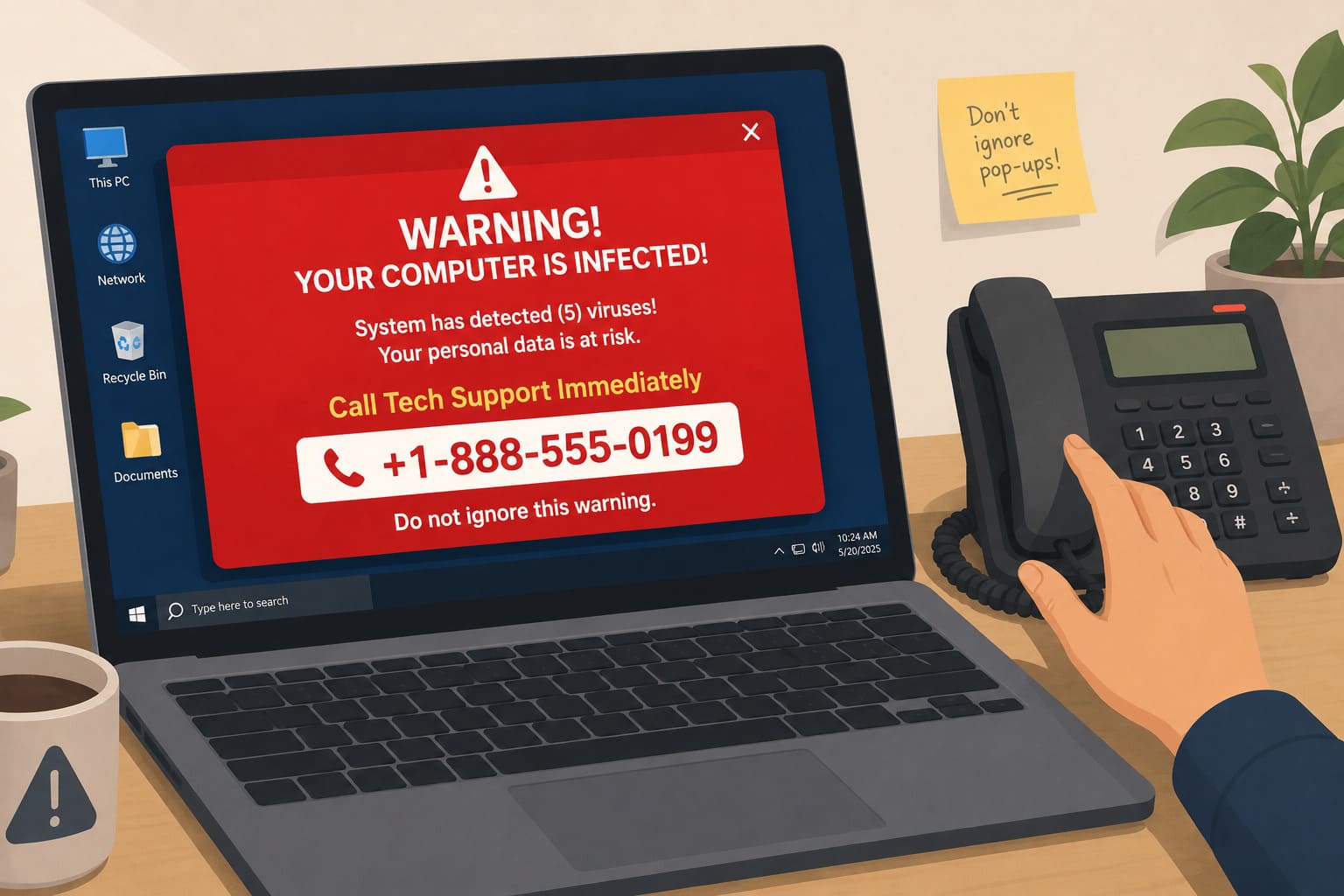
Tech support scams almost always start the same way: a window fills your screen, red text warning that a virus has been found, and a phone number to call right now.
The warning looks like it came from Windows, or Apple, or your antivirus software. It did not.
Call the number, and you are handed to someone whose entire job is to sound calm, technical, and completely in control, while walking you toward giving them access to your computer.
This post explains exactly how these fake warnings are built, what actually happens once you call, and how to respond safely the next time one appears on your screen. It is part of our wider guide to the most common online scams.
How Are These Fake Warnings Designed and Spread?
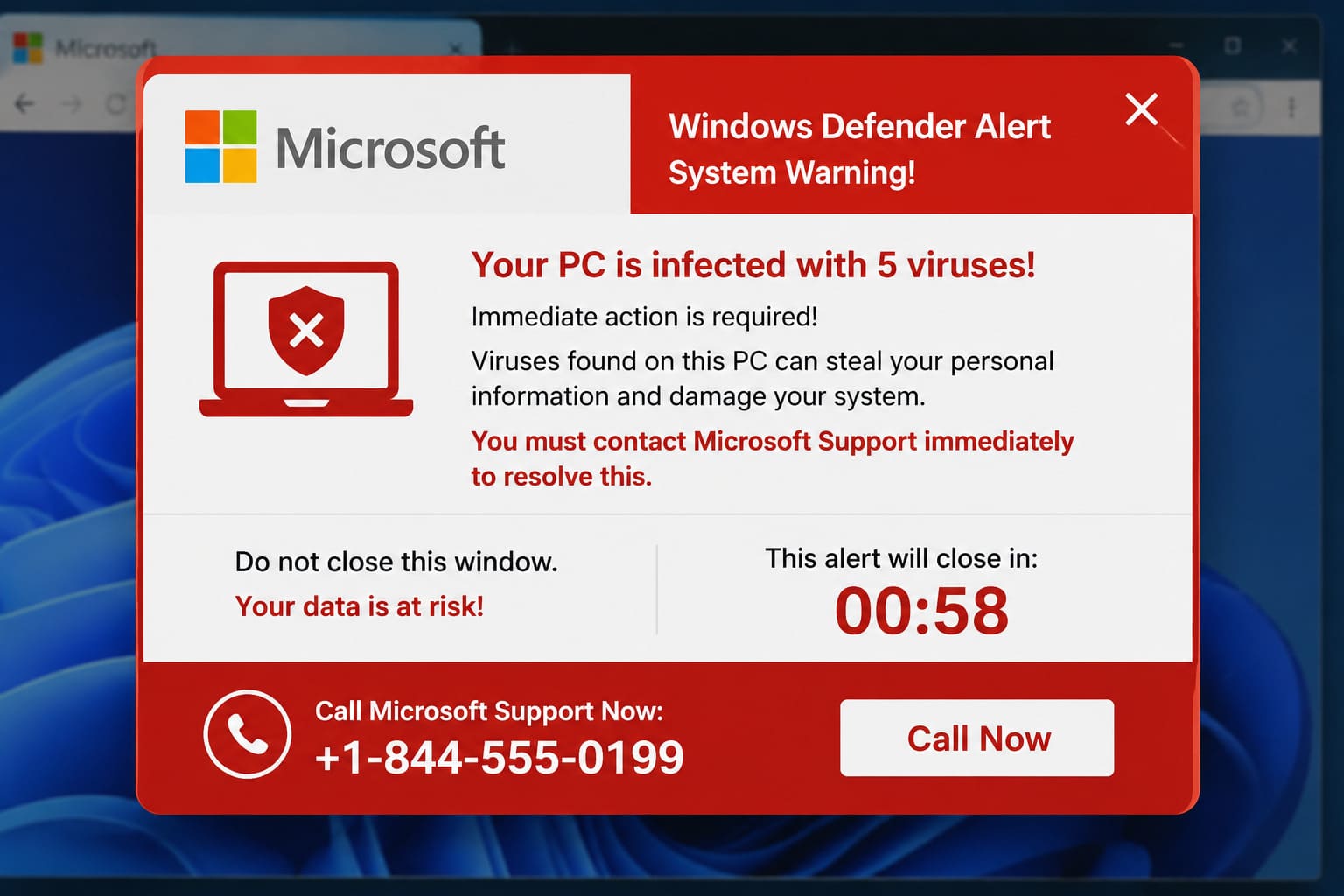
Most fake virus warnings arrive through a malicious advertisement or a compromised website, triggering a pop-up designed to look exactly like a genuine system alert, sometimes even locking the browser so it appears impossible to close.
The design borrows real logos and colour schemes from Microsoft, Apple, or Amazon, since a familiar brand lowers your guard faster than any generic warning could. A loud alarm sound or a countdown timer is often added, to push you toward calling before you have time to think about whether it looks right.
None of this requires the scammer to have actually accessed your device. The warning is a piece of website content, not a genuine scan result, and it is shown to everyone who lands on that page, not specifically to you.
Some tech support scams skip the pop-up entirely and start with an outbound call, someone claiming to be from your internet provider, your bank’s IT department, or a well-known antivirus brand, saying suspicious activity has been detected on your line or your device. The script changes, but the destination is the same: a request for remote access dressed up as a routine check.
The volume matters here as much as the design. These campaigns are run at scale across thousands of sites and numbers simultaneously, which is why the same warning, almost word for word, keeps reappearing on completely unrelated websites months apart.
What Actually Happens When You Call the Number?
The person who answers usually asks you to open a specific settings screen and read out a string of numbers, framed as proof of infection. That string is a standard system identifier every device has, and it means nothing about a virus.
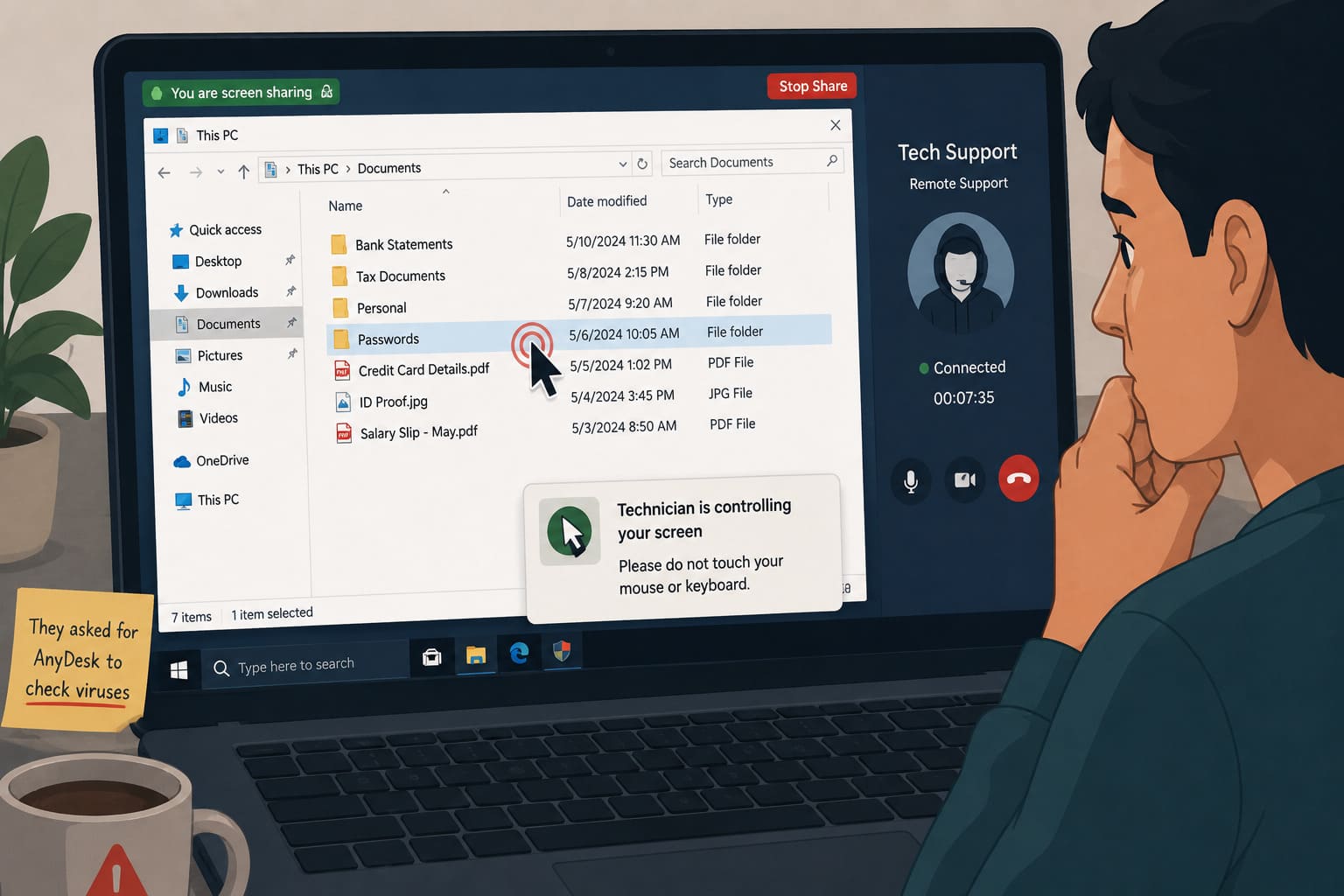
From there, they will ask you to install a remote access tool, often one that is entirely legitimate on its own, so they can “fix the problem” while you watch. Once installed, that software gives them the same access to your computer that you have.
Tech support scams cost Americans 1.464 billion dollars in 2025, an 87 percent rise since 2022, with people over 60 accounting for most of the losses, according to the AARP Fraud Watch Network. The same pattern targets non-technical users in India through fake Amazon refund calls and pop-ups mimicking Indian antivirus brands.
The whole exchange is designed to feel like a normal customer support call, with hold music, a case number, and a polite, patient tone that discourages you from hanging up and calling the company back yourself to check.
How Does Remote Access Actually Steal From You?
Once remote access is granted, the scammer can see everything on your screen: saved passwords, banking apps, email, documents.
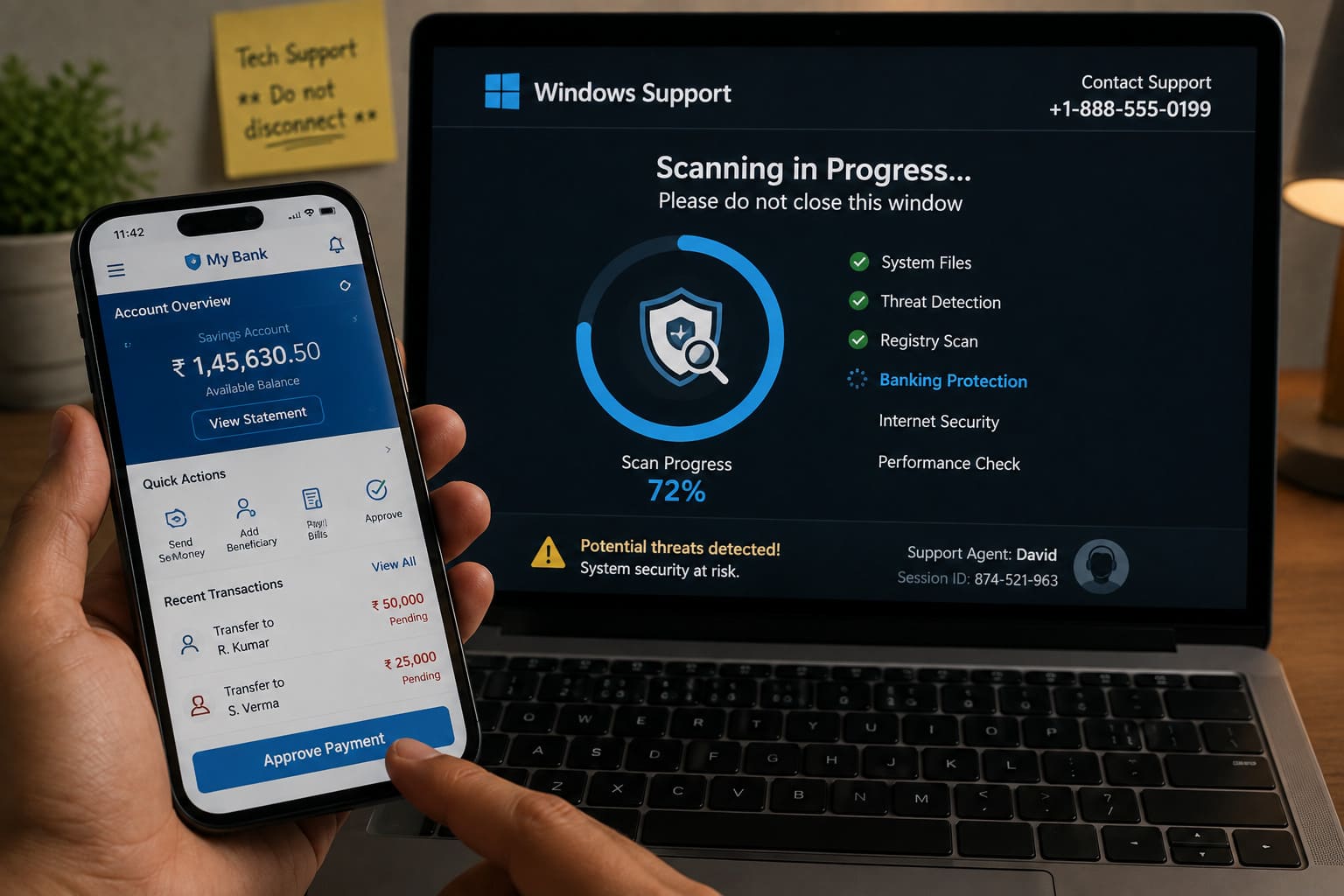
Some install a keylogger or spyware quietly in the background before disconnecting, so the access continues long after the call ends, even though nothing on your screen looks different. Others go straight for a bank login, transferring money while keeping you distracted with a fake “scan in progress” screen.
A separate but common version charges you directly for the fake fix itself, sometimes hundreds of dollars for “premium protection” against a problem that was invented in the first place. This exploits the exact confusion and tech overwhelm that makes people feel they have no choice but to trust whoever is offering to help.
The fee itself is often charged repeatedly, since a scammer who already has your card details or remote access rarely stops at a single transaction. Some victims report ongoing “subscription” charges for months after the original call, quietly renewed until someone finally checks a bank statement closely.
How Do You Safely Respond to Any Device Warning?
Close the browser tab, or force-quit it if it will not close. Do not call any number shown in the warning itself.
No legitimate company, including Microsoft, Apple, or your bank, will ever ask you to call a number that appears in a pop-up, or ask you to install remote access software out of nowhere. Genuine security software runs its own scans quietly, without a phone number attached.
If you are unsure whether your device actually needs attention, take it to a trusted local shop or contact the manufacturer directly through their official website, the same way you would confirm any government or bank call before acting on it.
If you have already given someone remote access, disconnect from the internet immediately, change your important passwords from a different, unaffected device, and consider a full factory reset. Report the incident through India’s National Cyber Crime Reporting Portal or the 1930 helpline, particularly if any payment or banking details were involved. CERT-In also publishes current advisories on active scam campaigns at cert-in.org.in, worth checking if you want to confirm a specific warning is part of a known pattern.
Keeping your device’s operating system and antivirus software genuinely updated is a smaller but real part of resisting tech support scams, since fewer real vulnerabilities give scammers less to plausibly point to. Our guide to device security habits covers the basics in under ten minutes.

Frequently Asked Questions
Is it safe to just restart my computer when a virus warning appears?
Yes, in almost every case. Force-closing the browser or restarting the device clears the fake warning completely, since it is a webpage, not an actual infection.
If the same warning reappears repeatedly across different sites, a proper scan from trusted antivirus software, not a pop-up, is the right next step.
Should I ever call the number shown in a warning pop-up?
No. No legitimate warning from Microsoft, Apple, or any antivirus company includes a phone number to call.
If you want to check your device, contact the manufacturer directly through their official website instead.
What should I do if I already gave someone remote access to my device?
Disconnect from the internet immediately, then change your passwords from a separate device that was not involved.
Report the incident to your bank if any financial details were shared, and file a report through cybercrime.gov.in or the 1930 helpline. Microsoft’s official guidance also explains exactly what its support agents will and will not do, which is useful for checking a call against the real thing.
What This Comes Down To
Tech support scams work because confusion feels like an emergency, and an emergency makes people accept help from whoever offers it first.
The habit that protects you is simple: no real company puts its phone number inside a warning message. Close it, and if you are genuinely worried, go looking for help yourself rather than accepting the help that came looking for you.
If this was useful, share it with someone who needs to know.




2 comments
Comments are closed.